
THE SHORT ANSWER
Look at the task, not just the score. Then compare your actual needs and the next bill.
What this research can—and cannot—tell you
The question is about delay, not the need for protection
This guide asks how to interpret antivirus performance evidence and investigate a Mac that feels slow. It does not decide that every Mac needs a paid suite. If that is your first question, start with our Mac protection decision guide. Here, the useful outcome is a shortlist and a repeatable observation plan, rather than an unsupported claim that one app will be fastest on every machine.
Our method: matched reports, a demonstration and current offer terms
We compare two original AV-TEST reports from the same month and named operating-system release. We then use a directly accessible Activity Monitor tutorial to explain an observation workflow and official US sources to describe the purchase commitment. AVHW did not install these products for this article, run malware samples, measure scan duration, test battery life or interview the vendors. Calculations below are explicitly illustrative.
The records have different dates for a reason: laboratory results describe June 2026 software, the tutorial was published in May, and commercial references were checked on 12 November 2026. A current subscription name cannot make an older benchmark a measurement of today’s exact build. The recommendation is conditional on your required features, supported Mac and actual recurring cost.
Two 6/6 scores hide a useful task-level difference
Read the product column, not the industry average
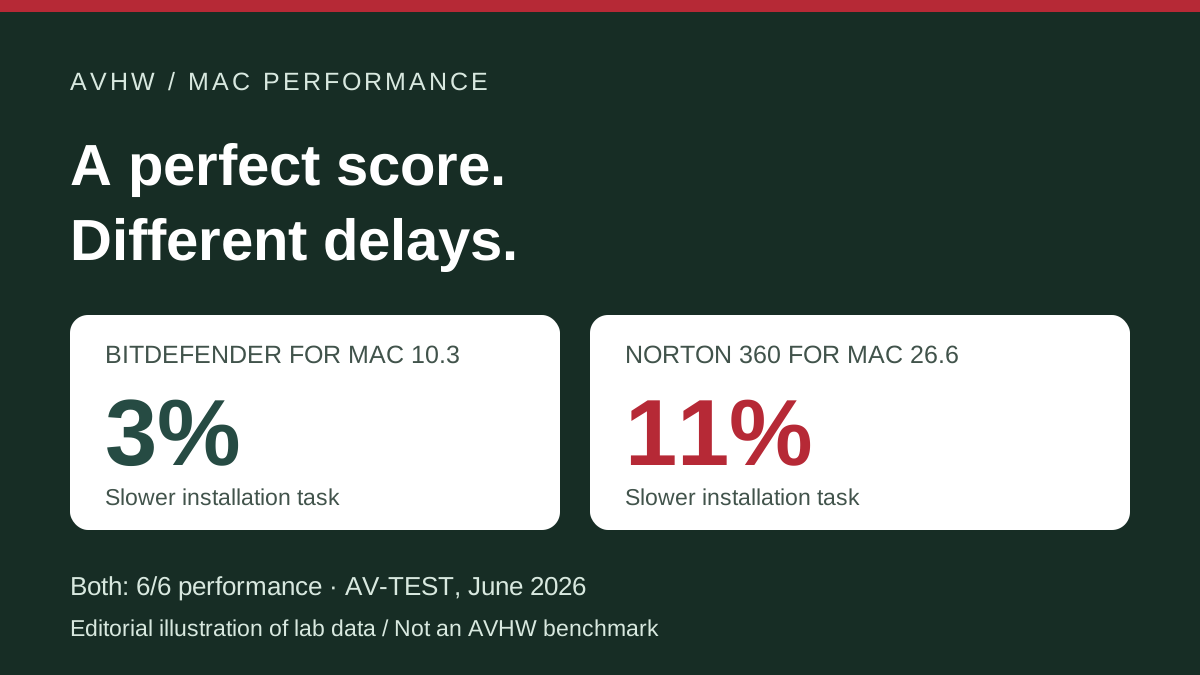
AV-TEST tested Bitdefender Antivirus for Mac 10.3 and Norton 360 26.6 on macOS Tahoe 26.5.1 in June 2026. Both received 6/6 for performance. The product rows report slowdown percentages for downloads, app launches, installation and file copying; the adjacent industry-average values are a different column. The chart below transcribes the product results. [1] [2]

- Bitdefender: download 1%, launch 2%, install 3%, copy 3%.
- Norton: download 1%, launch 3%, install 11%, copy 3%.
- Both received 6/6 for performance. The installation difference is eight percentage points, not an 8% overall Mac slowdown.
| Task | Bitdefender 10.3 | Norton 26.6 |
|---|---|---|
| Download apps | 1% slower | 1% slower |
| Launch apps | 2% slower | 3% slower |
| Install apps | 3% slower | 11% slower |
| Copy files | 3% slower | 3% slower |
What the installation row changes
For a reader who installs applications frequently, the installation result is a reason to examine Bitdefender in a shortlist. For a reader mostly concerned with file copying, these rows do not provide the same reason: the reported copying values are equal. Our judgment changes with the task that matters. It is therefore more useful to identify your workload than to turn a category score into a universal winner.
The lab allowed updates and cloud access during the evaluation. The documented month and OS are matched; that does not turn the numbers into a prediction for your hardware, storage, current app build or background workload. Neither report supplies an AVHW-observed battery result or a video-export benchmark. A missing workload remains a missing workload, even when the overall category score is high. [1] [2]
Translate percentages without inventing a benchmark
Eight percentage points is not “the Mac is 8% faster”
Subtracting 3 from 11 gives an eight-percentage-point difference in the reported installation slowdown. It says nothing by itself about the fraction of your day spent installing software. A one-time installation and a task you repeat every few minutes have different practical importance. Do not apply the installation row to browsing, gaming, creative exports or the whole computer. Those are different outcomes.
An illustrative baseline makes the size of a percentage clearer
Suppose an otherwise equivalent installation task took 60 seconds in a hypothetical baseline. Applying 3% adds 1.8 seconds; applying 11% adds 6.6 seconds. The difference is 4.8 seconds for that assumed task. These are calculations, not absolute times published by the lab and not observed times on a Mac. The example assumes a common baseline solely to illustrate what percentages mean.
Try a hypothetical installation time
Arithmetic illustration: assumed seconds × reported slowdown ÷ 100. No device is being benchmarked. Do not treat the assumed baseline as a lab measurement.
Do not manufacture a combined speed score
Averaging four percentages would assign them weights that the reports do not establish for your working day. Counting four launches and one installation is also different from weighting the total time spent on those tasks. We do not invent an overall AVHW speed score from these rows. Use them to select the questions to investigate during a trial, then record what happens in the workload you actually need.
Investigate the slow session before replacing software
Start with a repeatable symptom
Write the symptom as a task and a condition: “Opening this project during a scan takes longer” is more useful than “the security app is heavy.” Record when the problem began, whether it repeats, the app and macOS versions, available storage, power state and the other work running at the time. This does not prove a cause, but it creates a record that you or support can compare.

- Use the same harmless task and keep power state, files and background activity consistent.
- Record CPU use, Memory Pressure, whether scanning is active and elapsed time for three runs.
- Look for repeated association before changing tools; a single resource spike is not proof of cause.
Compare like with like for three ordinary runs
- Choose a harmless, repeatable task: opening the same local project or copying the same non-sensitive file set. Keep its inputs unchanged.
- Record elapsed time and relevant Activity Monitor observations. Note whether the security app shows a scan in progress.
- Repeat the task three times under the same conditions. Retain every run rather than keeping only the fastest one.
- Keep scan-active sessions separate from quiet sessions. Also note backups, cloud synchronization, downloads and system updates.
- Compare repeated patterns. If the pattern remains unclear, preserve the notes and contact the relevant vendor rather than declaring a product-wide defect.
A resource spike is a clue, not a verdict
Seeing a security process near the top of a list during one slow moment is an observation. It is not enough to demonstrate that the same process caused every slow launch or that another antivirus would solve the problem. A scan and a backup can occur at the same time. Repetition and task consistency help distinguish a recurring constraint from a coincidence. Keep the original notes when escalating to support.
This workflow keeps protection enabled and uses supported controls. It does not ask you to create an unprotected benchmark or manually remove unfamiliar processes. If a supported scan schedule helps avoid a work conflict, evaluate that change before paying for a replacement. A managed work Mac may have an organization-approved security configuration; make any product change through that process.
Video evidence: observe CPU and Memory Pressure
Creator, dates and commercial position
Watch Activity Monitor — Troubleshooting Your Mac From Within! by Hands-On Apple, hosted by Mikah Sargent. The YouTube upload displays 22 May 2026; TWiT lists episode 232 on 21 May. The player runs approximately 32 minutes 23 seconds. Its description lists OutSystems as sponsor, and the player marks paid promotion. It is a troubleshooting demonstration, not an independent comparison of these two antivirus apps. [3] [4]
Three directly relevant timestamps
- 05:08: introduction to the CPU tab and identifying processor activity.
- 06:51: sorting by CPU to identify resource-heavy processes.
- 13:20: using the Memory Pressure graph to interpret memory use.
The source and playback were rechecked on 12 November 2026, and the timestamped transcript is retained in our research notes. Exact hardware and OS build shown in the recording were not established in this review. The video supports the observation steps, not an inference that either named product is responsible for a slow Mac. Use the current app’s help if an interface differs.
Compare the whole bill, not just the performance row
The named offers cover different needs
The checked US Bitdefender Antivirus for Mac annual reference is $24.99 for one Mac for the first year, plus applicable tax. Exact annual renewal pricing for that offer was not confirmed. Norton 360 Deluxe’s US annual reference is $49.99 for the first year for up to five devices, with a $124.99 annual renewal reference, before applicable tax. These are public offers, not personalized checkout or upgrade quotes. [5] [6]

- Bitdefender: one Mac, $24.99 for the first year before tax. The exact annual renewal amount was not confirmed.
- Norton Deluxe: up to five devices, $49.99 for the first year; annual renewal reference $124.99, before tax.
- At those unchanged rates, $49.99 + $124.99 = $174.98 over two annual terms. No reliable corresponding Bitdefender renewal total is calculated.
One Mac and five devices are not equivalent licenses
The single-Mac option can fit someone who needs one Mac license and already has other services covered. A household with multiple platforms may value a shared device allowance even if one installation task takes longer in a lab. The correct comparison starts with devices you actually need to cover. Do not divide a five-device price by five unless you would really use all five slots, and do not count a bundle feature twice if you already pay for a satisfactory equivalent.
The Norton performance report names Norton 360 for Mac; Deluxe is the commercial subscription reference discussed here. The lab is not a benchmark of every feature in the cross-platform bundle, and availability can differ by platform. Verify the exact app and Mac features in the selected order. For a broader product comparison, see our Norton vs Bitdefender guide.
Separate the first charge, the next charge and a prepaid term
At the listed Norton rates, two consecutive annual terms would total $174.98 before tax: $49.99 plus $124.99. That calculation assumes the stated renewal reference still applies. We cannot calculate a reliable corresponding Bitdefender annual-renewal total without its exact next charge. A separately advertised prepaid multi-year offer, if selected, is a different transaction; do not silently substitute it for an annual renewal. Save the actual seller’s order summary.
Cancellation and refunds have different purposes
Bitdefender’s product terms describe automatic renewal, cancellation through Central or support, and refund requests within 30 days of the initial purchase or automatic renewal date. [5] Norton’s US annual-refund support policy gives 60 days from purchase or an annual renewal charge to request a full refund. Its terms describe recurring billing and account or support routes for cancellation. [7] [8]
Those are the cited vendor-direct terms, not a promise about every retailer or app-store order. Check the seller and channel before relying on them. Turning off the next renewal does not itself request a refund of a previous charge, and uninstalling an app does not establish the billing status. Save the purchase date, renewal date, order number and confirmation of any cancellation or refund request.
Who should shortlist, wait or keep an existing product?
Frequent installations: investigate the lower task result
If installing applications is a repeated part of your work, the matched installation row gives a specific reason to examine Bitdefender first. That is a shortlist decision, not a guarantee of the same difference on your Mac. Try your actual task on the supported current app, keep notes, and review the renewal before committing. A lower first-year payment does not settle long-term ownership cost.
Mixed-device household: weigh useful coverage
If one subscription must cover several kinds of device, a broader device allowance may be more useful than a small difference in an infrequent task. Confirm which benefits apply on each platform and whether you would use them. Norton’s renewal reference makes the second bill a material part of that decision. Do not assume that buying more features is automatically better value or that the laboratory’s Mac score measures the whole household package.
Creative work or battery-sensitive travel: the evidence gap matters
Neither task table here answers how long a current video export will take on your laptop or how much battery a scan will consume during travel. If those are the deciding workloads, a generic “lightweight” label is too weak a basis for purchase. Use an appropriate trial, a documented workflow and the vendor’s supported settings. Do not convert an installation result into an export-time or battery-life promise.
Already satisfied: a tie is not a reason to switch
If your existing protection meets your needs and your repeated work shows no meaningful interruption, these figures do not create a reason to replace it. A change can add a new subscription, account management and setup work. Investigate a demonstrated problem or coverage gap before buying another service. Conversely, repeated evidence of an interruption is a legitimate reason to explore a different configuration or product.
Our verdict and the final decision checklist
Antivirus can add delay to particular Mac tasks. The useful lesson from these matched reports is that equal top-level performance scores can coexist with different task-level results. Read the task that matters, preserve the date and platform limits, and investigate your actual slow session before treating a score as a buying instruction.
Five questions to answer before paying
- Which exact task is slow, and does it repeat under comparable conditions?
- Does the cited test use the product, version and OS relevant to your decision?
- Does the current offer cover your actual devices without duplicating tools you already have?
- What full payment is due now, what is the next charge, and which seller controls cancellation and refunds?
- What observation would make you keep, reconfigure or replace the current service?
What would change this recommendation?
A newer matched Mac performance report, a reproducible observation from your workload, a different supported platform or a materially different renewal quote could change the shortlist. A Windows score, a vendor’s unqualified speed claim or a new bundle name would not close the specific evidence gaps identified here. Our aim is a decision you can explain from evidence, not a permanent winner selected from a single number.
Check current plan details
Confirm the supported Mac, device count, full charge and renewal before subscribing.
Bitdefender Mac offer → Norton Deluxe offer →These are official product pages. AVHW may earn compensation from commercial links on its main comparison page.Sources & research notes
AV-TEST reports and the source video were reviewed for this research. Vendor offers and terms were checked 12 November 2026. Video evidence was accessible and playing when checked. Sources prove only their stated product, period and scope.
- AV-TEST report 265204: Bitdefender Antivirus for Mac 10.3, June 2026
- AV-TEST report 265208: Norton 360 26.6, June 2026
- Hands-On Apple: Activity Monitor, YouTube upload 22 May 2026
- TWiT Hands-On Apple 232, Mikah Sargent, 21 May 2026
- Bitdefender Antivirus for Mac: US offers and subscription terms
- Norton 360 Deluxe: US offer and subscription terms
- Norton annual subscription refunds: US support policy
- Norton US Terms of Sale